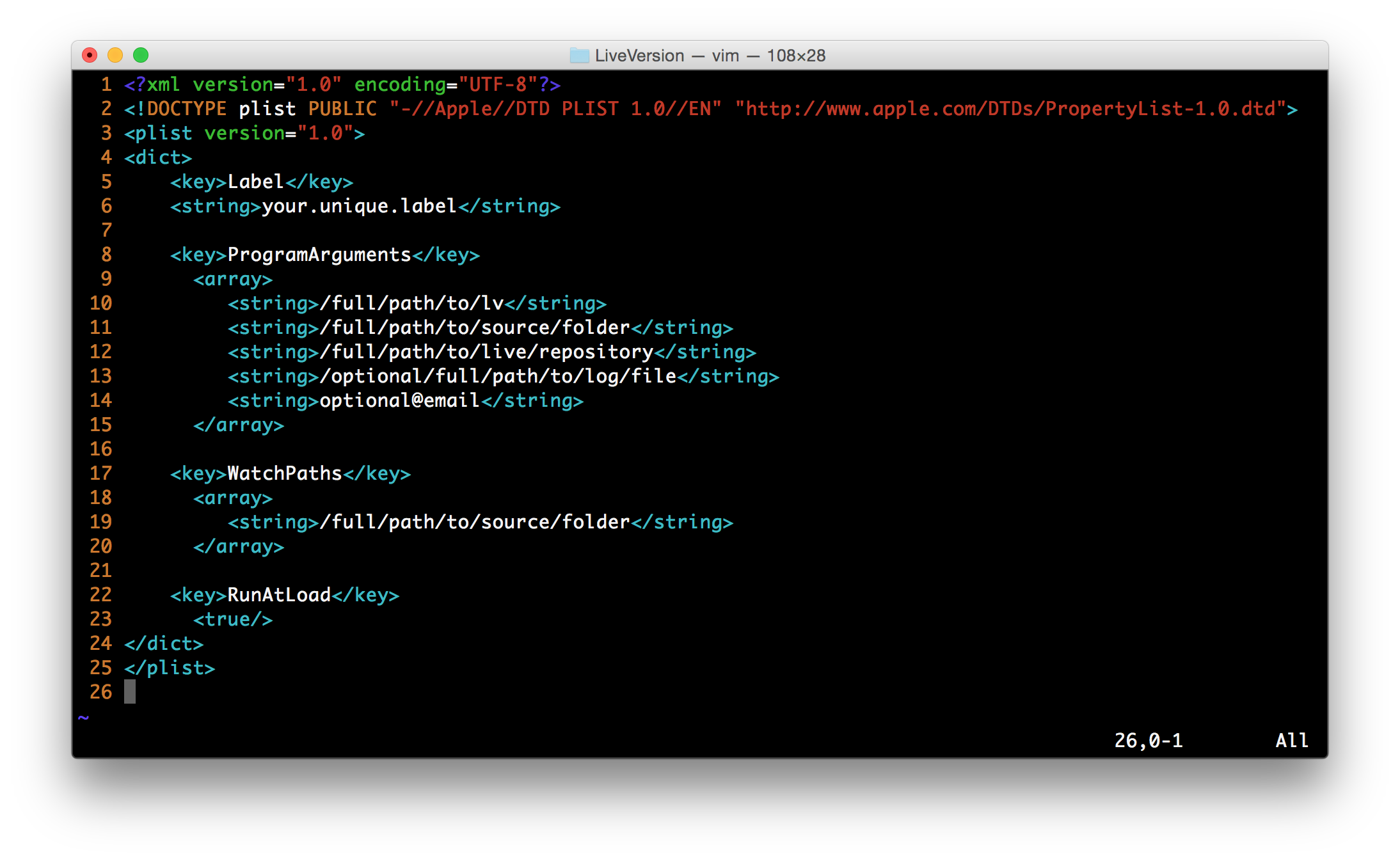
In this section I’ll tell at length about cutomizing and configuring Live Version to suit your needs. It requires familiarity with terminal, and unix commands.
What’s in the box?
When you download Live Version, you’ll get following:
-
setup - one time execution script to setup the scripts in
$HOME/binfolder and set its path. So you don’t need root access to setup. -
lv - core of live versioning logic.
-
watch - very handy utility script that would configure automatic watch for a folder you want to version live.
-
unwatch - it’ll only set off the automatic watch but the live repository would still persist unless you delete it manually on Mac OS X. On Linux, you’ll need to edit respective files yourself.
Configuration for watch script
If you’re like me and find watch script handy, the first time you execute it, it asks you some details. These details are:
- Root path of all live repositories. Stored in
$HOME/.LiveVersion/lv_base. - Root path of all log files. Stored in
$HOME/.LiveVersion/log_base. - Email address that’ll receive the log each time lv is executed. Stored in
$HOME/.LiveVersion/email.
You can manually edit these files to change the configuration.
Note: This configuration is used only by watch script. lv takes these details as command line arguments.
Customizing exclusions
You can configure which files and folders to exclude from synchronizing. You can configure it for a specific Live Repository or for all Live Repositories.
For specific Live Repository
In order to configure exclusions for specific Live Repository, go to .lv folder in that live repository and edit file named exclude_rsync
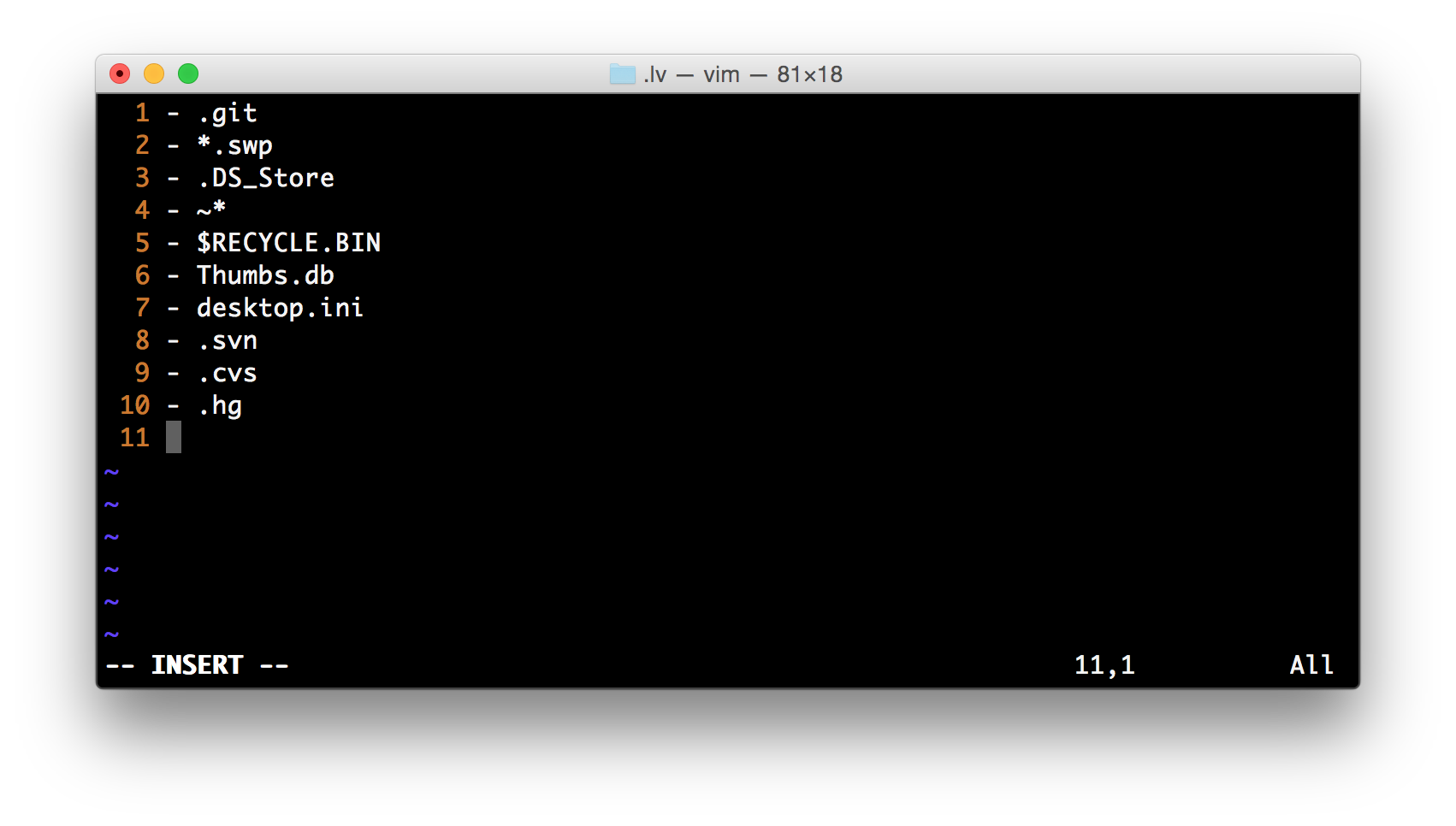
You can add as many lines as you like using rsync exclude syntax. Run man rsync and check exclude-from FILE format for more details.
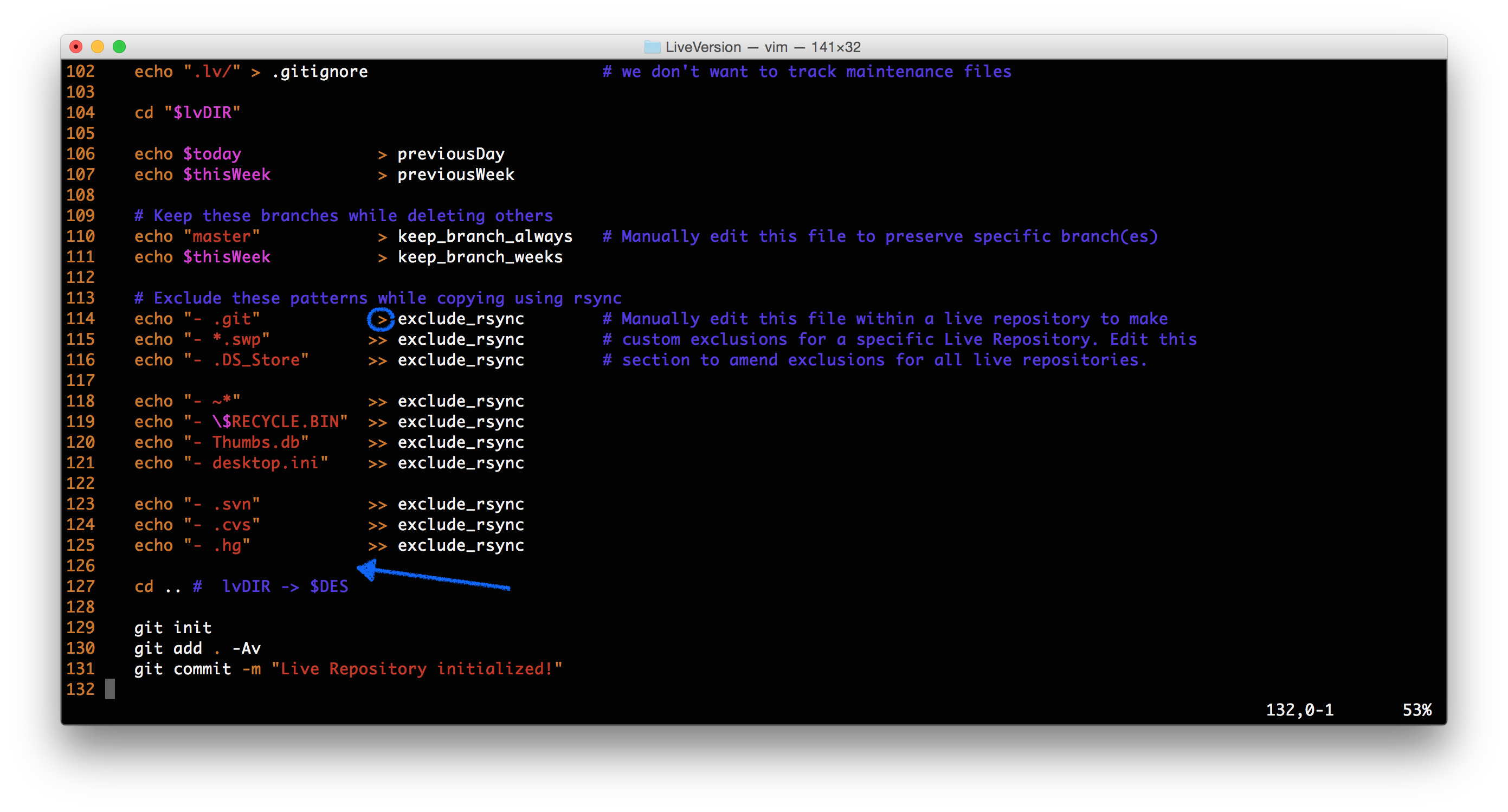
For all Live Repositories
In this case, edit lv from $HOME/bin folder (assuming that you already ran source setup).
Keeping certain branch for eternity
What if you made some exceptional changes today and you want to keep the granular change record? Yes, you can do it in following steps:
- Go to
.lvfolder within your Live Repository. - Run
git branchto see which branch you want to keep. - Execute
echo "branch_name" >> keep_branch_always. Wherebranch_nameis the actual name of the branch you want to keep.